
 Broaden for iPhone Duo
See the whole page.
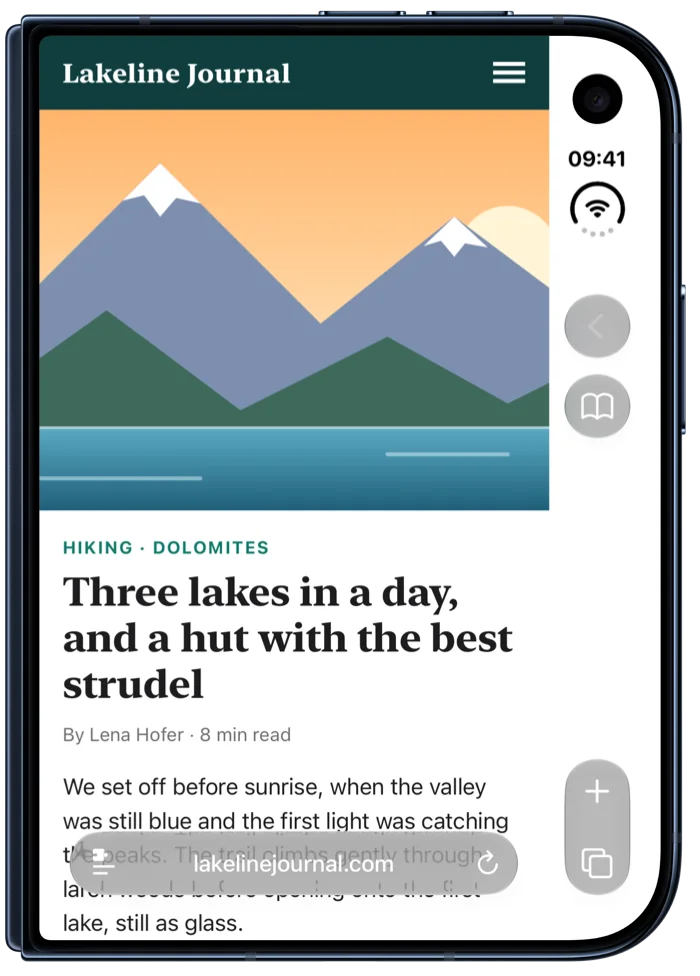
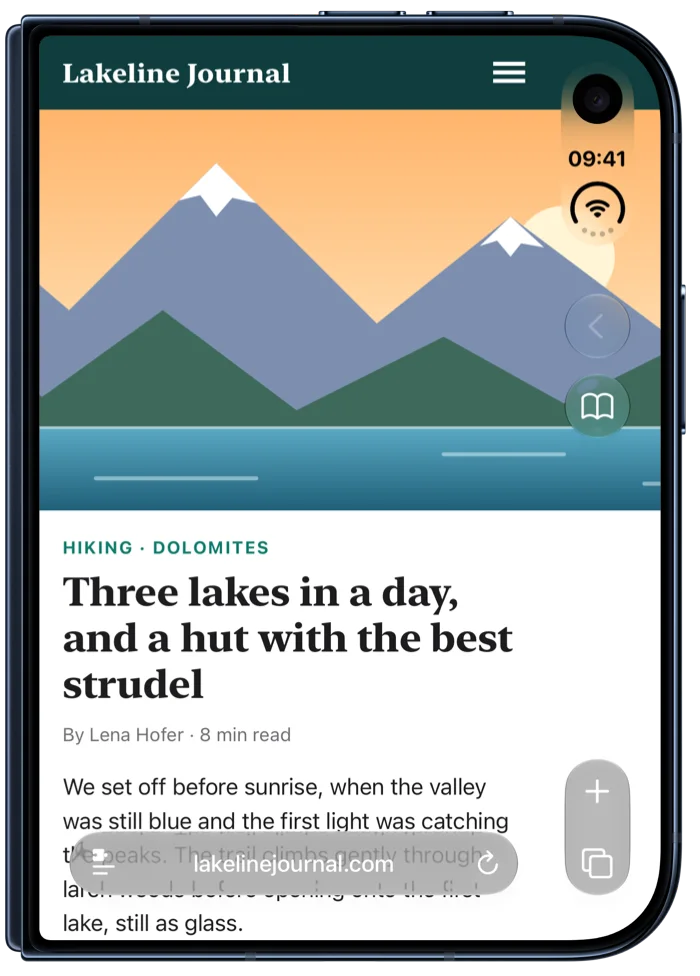
On iPhone Duo's folded screen, Safari keeps a column at the side for its controls, and every web page stops short of it. Broaden lets pages run under that column, so pictures, and text if you like, use the whole screen.
Free for 7 days, then $2.99 once. No subscription.
Modes
Choose how far pages go.
One mode for every website, and any website can have its own. Switch from Broaden's menu in Safari or in the app.
Off
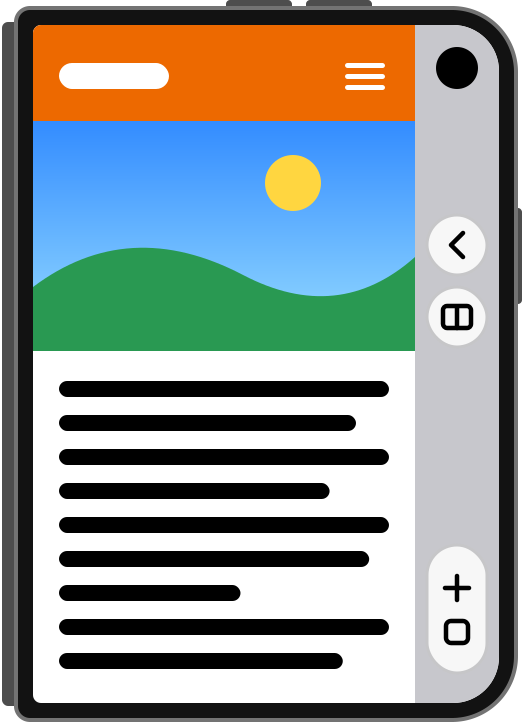
The website as Safari shows it.
Pictures
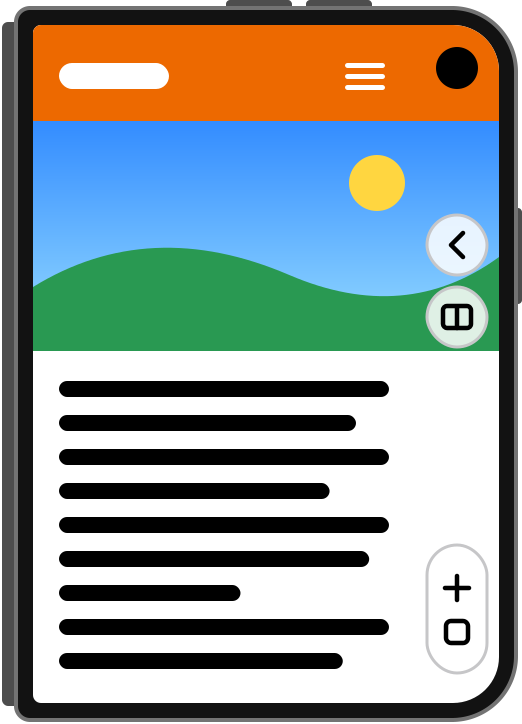
Photos, videos and backgrounds reach the edge of the screen. Text and the site's buttons stay clear of Safari's controls.
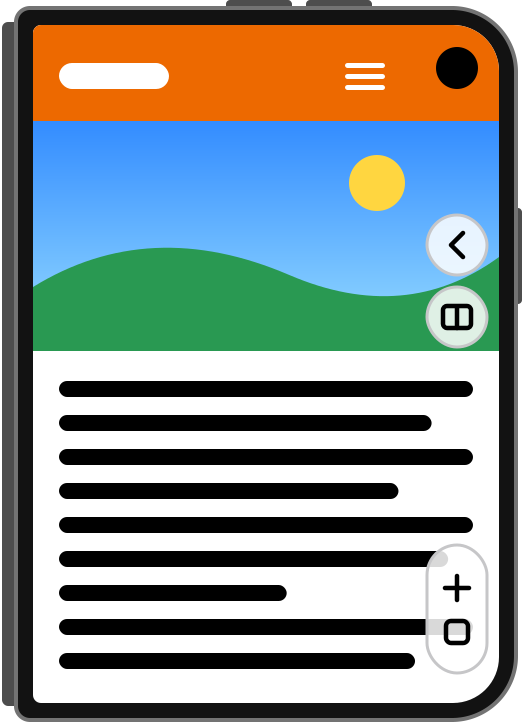
Pictures & text
Text runs under Safari's controls too, for the widest page. The site's top bar stays clear of them.
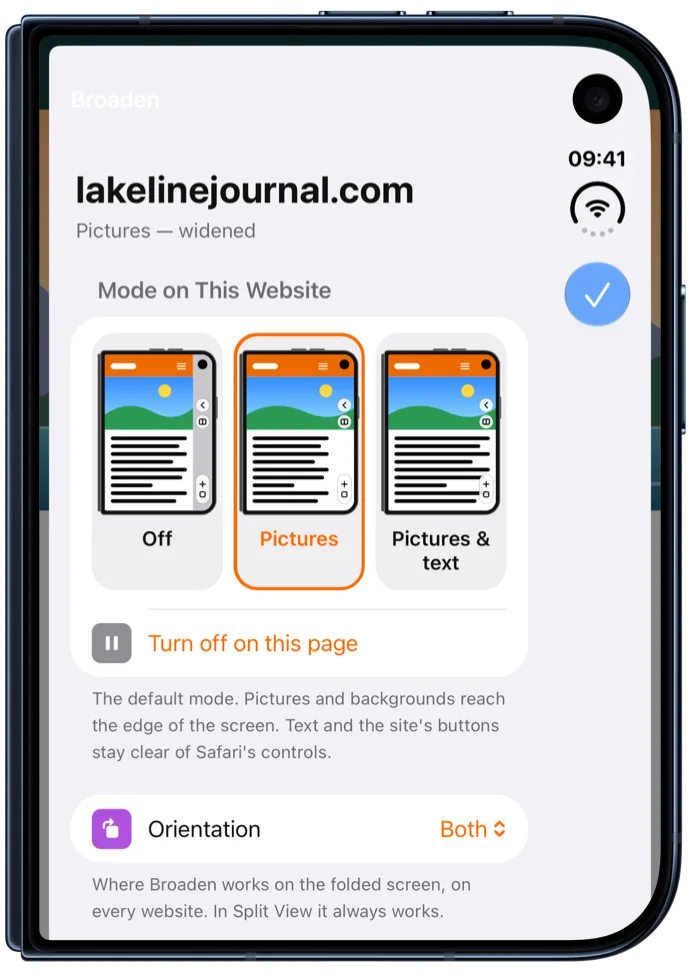
In Safari
A mode for every website.
Open Broaden's menu from Safari's page menu. Pick a mode for the site you're on, turn Broaden off for just this page, set where it works and whether banners are hidden. It remembers each site, and its subdomains too.
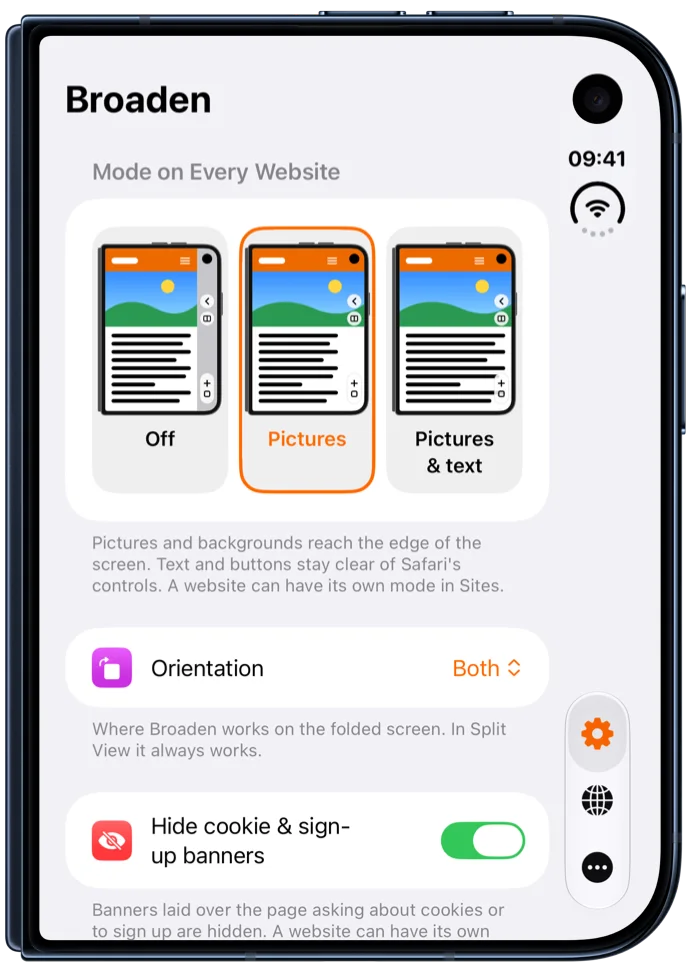
In the app
Your defaults, your websites.
Set the mode for every website, where Broaden works on the folded screen, and whether cookie and sign-up banners are hidden. Every site with its own setting is in one list, with search.
Cookie banners out of the way
Banners laid over the page asking about cookies or to sign up are hidden. Hidden, not answered: Broaden never accepts anything for you.
Portrait, landscape, or both
Choose where Broaden works on the folded screen. In Split View, with Safari beside another app, it always works.
Pages that fit the phone
Pages built for a desktop width are left alone. Broaden widens the ones fitted to the narrow area beside Safari's controls.
Private by design
No account, no tracking, no analytics. Your settings stay on your iPhone, and Broaden doesn't read or send what you browse. Privacy Policy
Light and dark
The app and its menu in Safari follow your iPhone's look, or the one you choose.
Made for iPhone Duo
Broaden is built for the folded screen. On other iPhones it has nothing to do, and the app says so.
Setup
Ready in a minute.
The app walks you through it and ticks each step off as it's done.
- Turn on Broaden in SafariOpen Broaden and tap Open Safari Settings, then turn on Allow Extension. Or go to Settings › Apps › Safari › Extensions › Broaden.
- Allow it on every websiteOn the same page, set All Websites to Allow. If Safari asks on a website instead, choose Always Allow…, then Always Allow on Every Website.
- Start the free trialBack in Broaden, tap Start 7-Day Free Trial. Then open any website in Safari with iPhone Duo folded.
Try it free for 7 days.
Then unlock Broaden with one purchase: no subscription, shared with your family through Family Sharing. Before the 7 days are up, the app reminds you; after them, pages show as Safari shows them until Broaden is unlocked.
once
FAQ
Good to know.
Does Broaden work on other iPhones?
No. Broaden is made for iPhone Duo, where Safari keeps its controls in a column on the folded screen. Other iPhones have no such column, so there's nothing to widen.
Does Broaden see what I browse?
Safari lets Broaden run a small script on the pages you visit, so it can change how they're laid out on your screen. Everything happens on your iPhone: Broaden doesn't record or send the pages you visit, what's on them or what you type. See the Privacy Policy.
A website looks wrong with Broaden. What can I do?
Open Broaden's menu in Safari on that website and choose Off, or Pictures instead of Pictures & text. Broaden remembers it for that website. To set it aside for the page you're on only, tap Turn off on this page. If a website keeps misbehaving, tell us.
Does it work in Split View and in Private Browsing?
Split View, yes: with Safari beside another app on the open iPhone Duo, Safari shows the same column of controls, and Broaden widens pages under it. Private Browsing: if you allow Broaden there in Safari's extension settings, it works there too.
Is it a subscription?
No. After the free week, Broaden is a single purchase of $2.99, yours for good and shared with your family through Family Sharing.
I bought Broaden on another iPhone. How do I get it back?
Open Broaden, go to More, and tap Restore Purchases. Use the same Apple Account you bought it with.